
The Gamasutra Deep Dives are an ongoing series with the goal of shedding light on specific design, art, or technical features within a video game, in order to show how seemingly simple, fundamental design decisions aren't really that simple at all.
Check out earlier installments, including building an adaptive tech tree in Dawn of Man, achieving seamless branching in Watch Dogs 2’s Invasion of Privacy missions, and creating the intricate level design of Dishonored 2's Clockwork Mansion.
WHO: Takuya Hatakeyama, director on Pixel Game Maker MV
Hello everyone, I’m Takuya Hatakeyama, the director of Pixel Game Maker MV (PGMMV). I have been working at Kadokawa in Tokyo for seven years now. My first project as director was for a smartphone game called Youkai Hyakkitan! Before that, I used to be part of a different team handling customer support for social games.
The PGMMV development team is made up of around 10 people with the core of the team being veteran developers who have been creating console games for over 20 years. They were involved in the “Maker” series games for the GBA, DS, 3DS etc. Others in the team were part of games such as the Derby Stallion series and the Seaman series.
The publisher, PLAYISM, is an indie game publisher based in Japan who have been supporting indie game development for over eight years now. They have published games such as NIGORO’s La-Mulana, Swery's D4: Dark Dreams Don’t Die, Suda 51’s The Silver Case and Studio Pixel’s Kero Blaster among others. They have recently released a Touhou Project spin-off title called Gensokyo Night Festival as well.
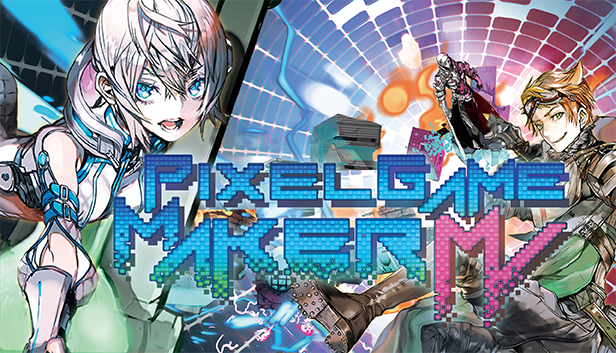
What: A tool for 2D action games
It is the latest title in the “Maker” series which many inexperienced, aspiring game developers first touch upon when beginning their careers. The main concept for this title is that it is a tool with which anyone can create a 2D action game. Both top-down and side scrolling games can be created without the need for programming. Local multiplayer is also supported, and games that are up to four players can be created.
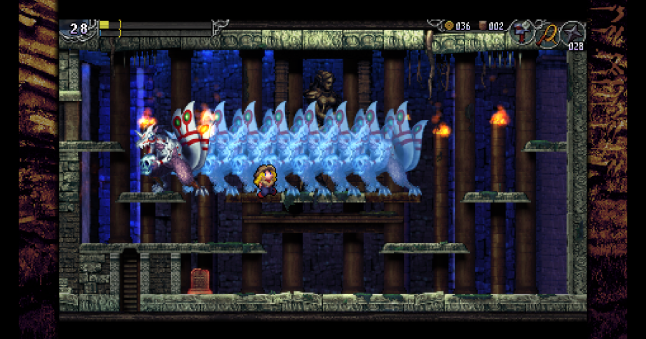
Steel Sword Story
If you use the recently released “Remote Play Together” on Steam, you can even make your game an online multiplayer title. Regular 2D action games are not the only type of game you can create using this tool, either. Shooters and block-breaking games are among other genres that can be created in PGMMV.
A fine example of a game made in PGMMV is Steel Sword Story, which was released in June 2019. It is an orthodox side scrolling action game and was created by 8bits fanatics of 1001 Spikes fame.
Recently, pixel artist “ktwfc” has started developing a game called Dot Bounce with PGMMV. Other artists, who can create art but up until now did not have the means to create games, are also following suit.
PGMMV is quickly gaining recognition as a tool that can be used to swiftly give shape to a game concept. For example, the upcoming title by Sumo Digital, Pass The Punch, originally started out as a PGMMV creation in a Sumo Digital game jam which won first place. Sumo then went on to create the final title in Unity.
Archaeological action game La-Mulana 2’s boss battles have also been faithfully recreated in PGMMV. The recreated assets are included in the sample projects and can even be used freely in your own game.
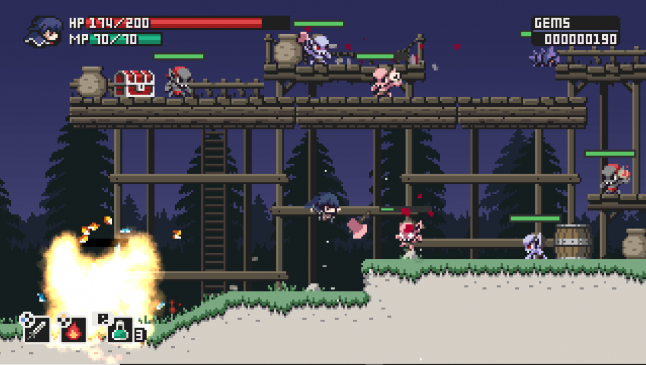 La La-Mulana 2
Why
When starting out creating a game, the first and most significant obstacle that most people encounter is programming. The main concept for PGMMV was that users would be able to create games without the need for programming. But we also wanted it to be fully featured and give users the ability to create in-depth, detailed, and complex games as well.
Compared to the original Pixel Game Maker, there are now more actions and branch instructions available. Local multiplayer, a physics engine, and a particle system are all new additions which we believe are extremely useful when creating action games.
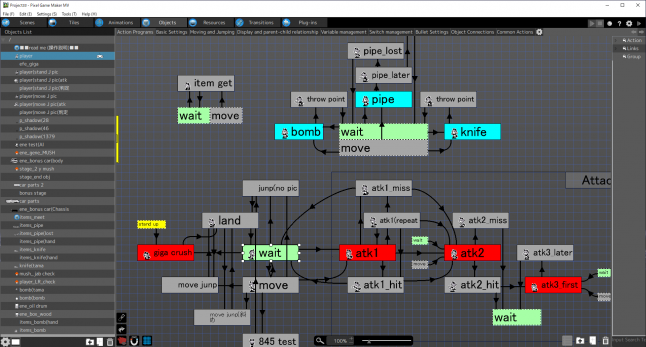
When creating playable characters, gimmicks, and game systems, objects must be created, and in order to simplify this process we added a flowchart UI to the object creation screen. To further improve ease of use, we have added a flowchart UI when creating game systems or character movements. The flowchart UI is made up of two parts, one for processing actions such as running and jumping, and the other for processing the conditional side of the actions. This allows even inexperienced users to create complex actions which would otherwise be very difficult without programming experience.
On the action side, for example, playable characters are able to move around the map by running or jumping. However, if you look at games on the market, there is a wide variety of running speeds and jump heights, so we added a function that lets you adjust these as much as possible simply by adjusting values.
For example, you can recreate a “Mario”-style jump by adjusting values to add the following properties:
Inertia
Jump height dependent on how hard the button press is
Can move a certain amount left or right during jump
Higher initial jump velocity compared to fall speed
Upward movement stops if head hits an object
For a Ghosts ‘n Goblins-style jump:
Constant speed
Jump height not dependent on button press
Cannot adjust landing point but can change direction character is facing
We have created a system in PGMMV where you simply have to check boxes and input values to adjust the jump style of your character.
You can then add further actions and transitions with links:
Jump while jumping (double jump)
No tags.