
Making new games for retro consoles is something that amateur developers can do quite easily thanks to today's technology. Last year, I released a new game for my favorite console: the Super Nintendo (SNES). The project went as far as an actual physical release, with a cartridge and a cardboard box like the 90's. In this article, I'll present you the numerous steps of this incredible journey: designing the game, overcoming SNES-related technical issues while programming it, manufacturing new SNES cartridges, and creating the manual and box.
The game : Yo-Yo Shuriken
Yo-Yo Shuriken is a fast-paced arcade game for 1 or 2 players on Super Nintendo (SNES).
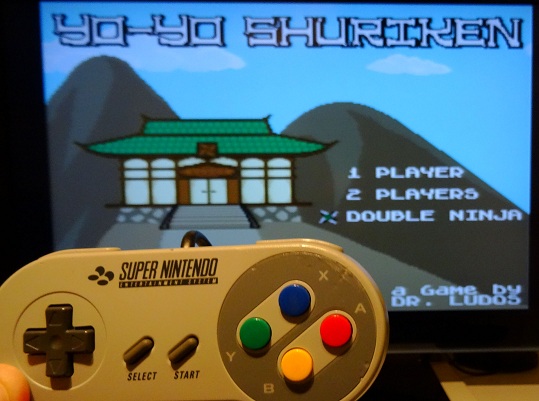
The core gameplay revolves around shooting a single shuriken that you can magically recall at any time, so you can hit enemies from the front or from behind! You can even focus energy into the shuriken to deliver a powerful charged attack that can cut through several enemies at once.
<iframe title="Embedded content" src="//www.youtube.com/embed/rv4nUlAEt9w?rel=0&enablejsapi=1&origin=https%3A%2F%2Fwww.gamedeveloper.com" height="360px" width="100%" data-testid="iframe" loading="lazy" scrolling="auto" class="optanon-category-C0004 ot-vscat-C0004 " data-gtm-yt-inspected-91172384_163="true" id="103270171" data-gtm-yt-inspected-91172384_165="true" data-gtm-yt-inspected-113="true"></iframe>The game is available on cartridge with a beautiful cardboard box and a manual from Catskull Games:
https://catskullgames.com/yo-yo-shuriken
And if you prefer to play it on emulators, you can also get the ROM of the game here:
https://drludos.itch.io/yo-yo-shuriken
Now that you are more familiar with the game itself, let's explore how it was designed.
Designing the game
Making Yo-Yo Shuriken was quite an organic process. I tested gameplay ideas as I came up with them, and tried to refine them until I had a "fun" game in hand. Let's start with the initial idea. For a long time, I wanted to make a shooting game with a single bullet. So the player must retrieve it each time he shoots. Besides the "one bullet" idea, I also wanted to make a game that could be enjoyed with a friend, in co-op. With both ideas in mind, I created the game step-by-step. Each major progress I made was labelled as a new "version" and playtested heavily. If the current version was good, I continued to add new features. Else, I kept working on the current features until the game was fun to play again before adding anything new. Here is a rundown of the major game prototypes, with screenshots. If you want to play the actual ROMs of these prototypes, they are one of the many perks available to my Patreon supporters.
1) Cyber Ninja - version 1
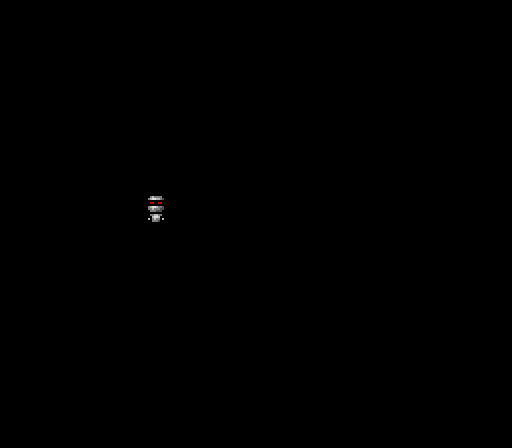
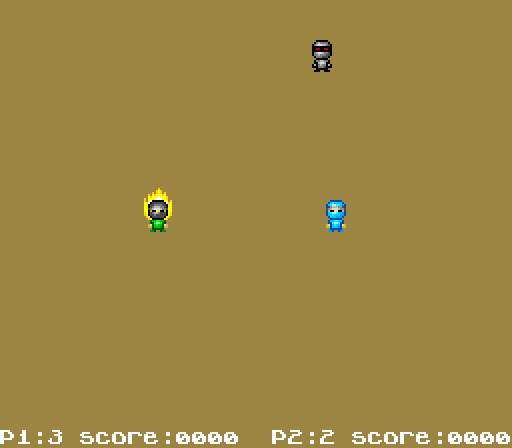
The first thing to do when making a game on a platform you don't know is to display something onscreen! So I drew a robotic ninja sprite and tried to have the SNES to display it onscreen. When it worked, I added code to make the sprite moves with the D-Pad. And then I made a walking animation when the sprite moved. These firsts steps may look simple. But remember that it was my first time making a game for the SNES! So it actually took quite some time to do, as I was learning how the machine worked while making the game. As the current project only displayed a robotic ninja, I named it "Cyber Ninja."
2) Cyber Ninja - version 2
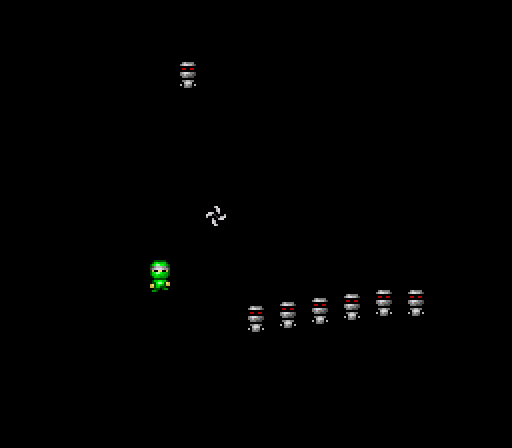
The actual player sprite, a ninja, appeared in this second version. So the robot sprites naturally became their enemies, as everyone know that ninja and robots hate each other! As a proud ninja, the player can throw a single shuriken. The shuriken can get stuck on the screen border, and the player must pick it up to be able to shoot again. The robot enemies can move aimlessly on screen, but no collision detection is performed yet.
3) Yo-Yo Shuriken - version 1
After several tests, I thought that the shuriken could come back to the ninja automatically when the player pressed the button a second time. I had a lot of fun while testing this mechanic, so it became the core of the whole game! I also changed the project title to reflect this evolution: say goodbye to "Cyber Ninja", and welcome to "Yo-Yo Shuriken"! Indeed, in the game the shuriken goes back-and-forth, much like a yo-yo.
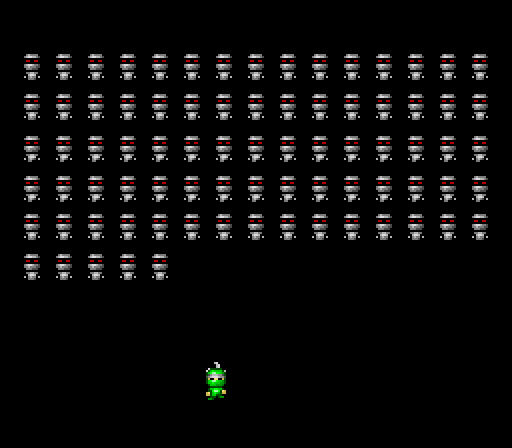
I also added collisions detection. Now the robots disappear when the shuriken hits them. But if a robot hits the player, he's the one who disappear. While everything is still in a very basic state, the core gameplay of the game is almost complete in this third game prototype. So I decided to "stress test" the engine to see how far I could push it before the game lags. I managed to have up to 80 enemies walking and interacting on screen. Remember that a SNES can display a grand total of 128 sprites, so having 80 of them updated 60 times per second with collisions and animations is some kind of achievement.
4) Yo-Yo Shuriken - version 2
In this fourth version, the enemies are no longer limited to straight line movements. They can now move in several directions. They also bounce off the screen borders to avoid exiting the game area. The game became more interesting as a result.
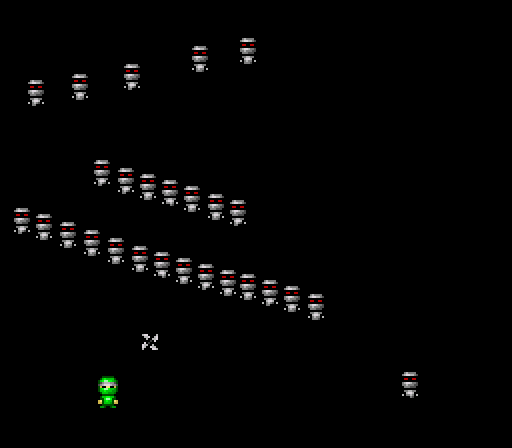
5) Yo-Yo Shuriken - version 3
I added a different background color, and a system to spawn enemies endlessly. In the previous version, once the 80 robots were destroyed, the game was empty. Here an endless army of robots is generated! The enemies can also follow the player, to force him to keep moving. Indeed, in this fifth version, the game became quickly boring if the player remained static.
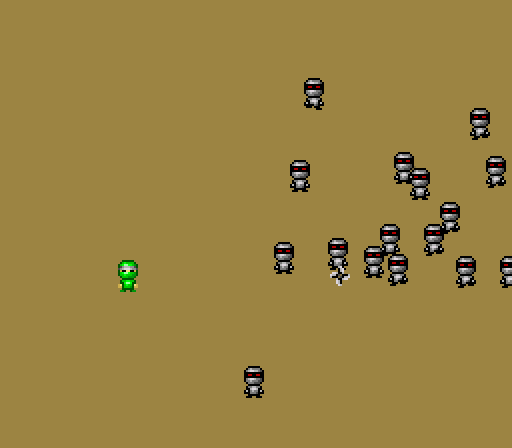
6) Yo-Yo Shuriken - version 4
In this version, I faced my first big technical difficulty: displaying large explosion sprites whenever a robot dies. I chose to have quite small player and enemies sprites : 16x16 pixels. That way, I could display loads of them on screen while keeping enough empty space for the player to move around and avoid hitting enemies (the SNES screen resolution is 256x224 pixels). However, I decided to draw my explosions at larger size: 32x32 pixels. The Super Nintendo is capable of displaying two different sprites size at the same time. The developer can choose a "small" and a "large" sprite size from a short list of sizes (8x8, 16x16, 32x32 and 64x64) and the console will use this information when accessing the video ram to display the sprite data onscreen. This is one of the many graphical features that make game developers' life easier. But as any technical feature, it can become daunting when you don't know how to use it!
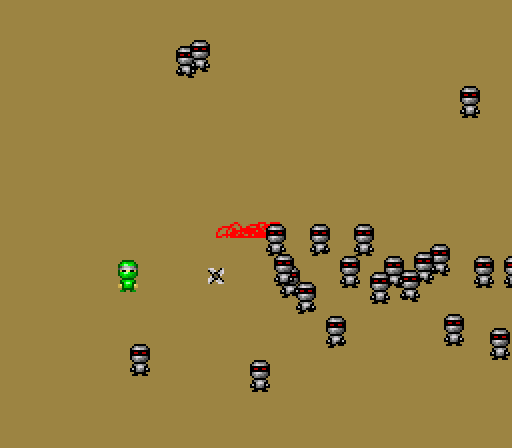
In my case, in this current prototype, I was only able to display a small portion of the explosion sprites, no matter what I did. The issue was actually quite simple: I wasn't uploading the sprite data where needed in the SNES video memory. So the machine couldn't read them back. I did find the solution after spending several hours on the wonderful documentations made by the homebrew community over the years. I thank them a lot for their hard work on creating and sharing all this precious knowledge: without them, amateurs like me wouldn't be able to make SNES games!
7) Yo-Yo Shuriken - version 5
This prototype marks the addition of another key feature: the two players co-op mode!
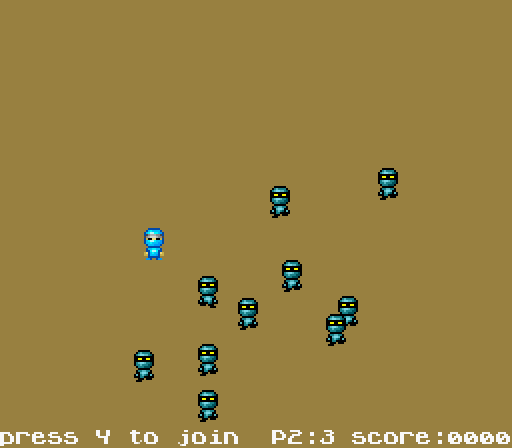
New kinds of enemies join the fray too: the orange robots can take several hits before exploding, and the blue robots can chase the player anywhere. I also added coins that you have to collect to score points. This mecanic greatly improves the gameplay. Indeed, the only way to score points is to collect coins. Killing robots doesn't bring you any "reward" per se, it's just a way to prevent your avatar from dying. The robots drop coins when they die. But the coins disappear after a few seconds. And there are always loads of robots on screen, that will kill you instantly when touched. To earn points, player must thus take a lot of risks and move among the robots, else he won't be able to make a high score. But sometimes, it's better to let some coins disappear to avoid losing a life. This is what game designers call a "risk / reward" choice, and it's a great way to make a game interesting. Here, this mecanic allows Yo-Yo Shuriken to offer a smooth difficulty progression to players. Usually, a rookie player will tend to stay static, and will solely focus on destroying the robots. He won't get points, but he will be able to continue through the game and defeat the final boss. Once a player starts to get more confident, he'll be able to collect coins to make a highscore. And of course, experienced players can try to make a "perfect run" by collecting all the coins, although it means taking an insane amount of risks!
8) Yo-Yo Shuriken - version 6
As playtesting went on, I realized that the game was becoming quite repetitive. I tested several ideas to solve this issue. The one I found the most interesting was to hold down the shoot button to "charge" your shuriken. When you release the button, it triggers a "super shot" that can cut through several enemies. This mecanic brings a bit of strategic thinking to the game. Now, the player can choose to perform several simple shots to kill the enemies one by one. Or he can choose to perform a charged shot to kill several enemies at once. But then he'll be vulnerable while the super shot is charging.
9) Yo-Yo Shuriken - version 7
Starting with this version, all the game mecanics that defines the core gameplay were in. So the project entered the longest and most tedious phase: adding content and polishing the game. First, I added sound effects, that I created with BFXR. I also included the wonderful music tracks composed by XRACECAR. I also modified the game GUI and moved it to the top of the screen.

Regarding graphics, I added a pattern to the game background